 LassoCrypto
How to Send Crypto From Kraken to a Wallet
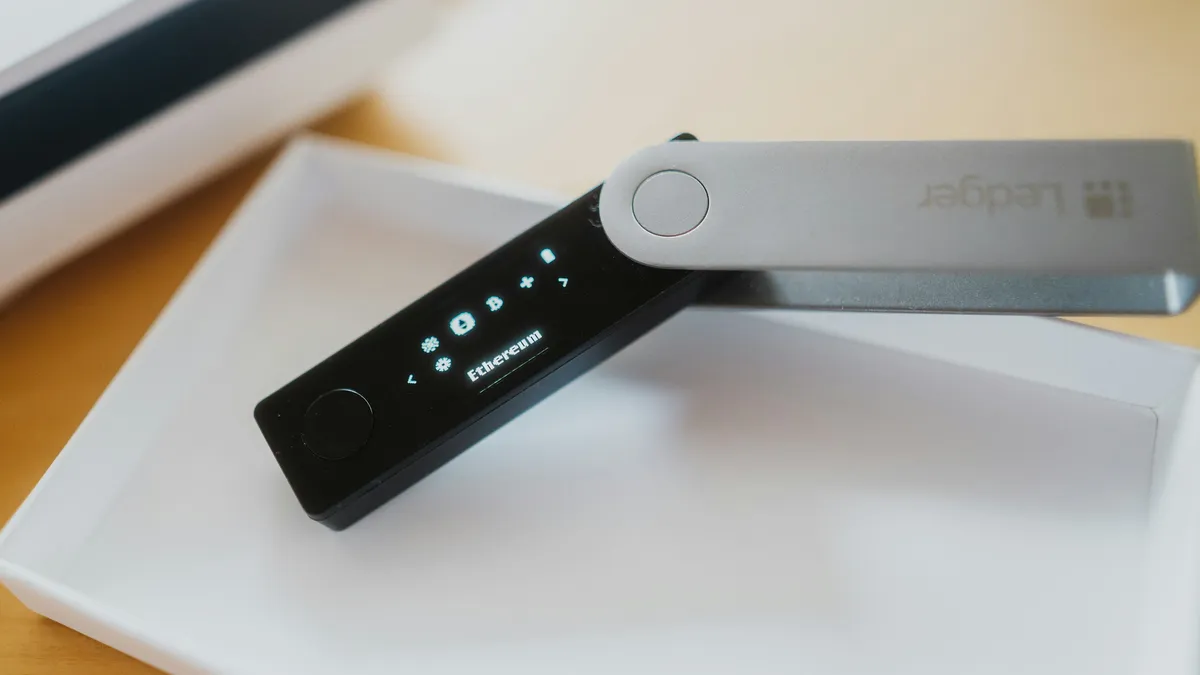
To send crypto from Kraken to your own wallet, open Portfolio, tap Withdraw, pick the coin and the network your wallet uses, add the wallet's address, then enter the amount and confirm. Two Kraken rules trip people up first. A new address added from a device Kraken doesn't trust has to be approved through an email link that expires after one hour. And coins bought with a card or PayPal can be held for up to 72 hours, or 7 days after an ACH deposit through Plaid, so check for a hold before you start.
Before you start
- A wallet you control, such as Phantom (Solana) or MetaMask (Ethereum, Base, Arbitrum), or a hardware wallet
- The coin in your Kraken balance, past any withdrawal hold
- Your funding 2FA code if you set one up (Kraken asks for it at withdrawal, not your sign-in code)
- Copy addressFrom your wallet's Receive
- Add it in KrakenApprove by email if asked
- Pick networkSame as the wallet
- Send a testThen the rest
Is there a hold on my coins?
Kraken's hold article (updated October 20, 2026) and its address article list these:
| How you paid | Withdrawal hold |
|---|---|
| Debit or credit card, digital wallet (Apple Pay, Google Pay) or PayPal purchase | Up to 72 hours |
| Purchase with ACH through Plaid | 7 days (trading isn't affected) |
| Cash deposit by ACH | A hold on the funds from that deposit only; the rest of your balance can still be withdrawn |
| Password changed without sign-in 2FA or a Master Key | Up to 24 hours, for new addresses only |
To see your own hold, Kraken says to tap the tooltip icon in the withdrawal flow. Kraken's pages don't fully agree on ACH: its withdrawal article gives 72 hours for ACH purchases and 7 days for cash deposited through ACH Plaid, while the hold article gives 7 days for purchases through ACH Plaid. If you paid by ACH, plan for 7 days and let the tooltip tell you.
Step 1: Copy your wallet's receive address
Open your wallet and tap Receive. Pick the network first, then copy the address. Kraken's address-format list shows the same 0x prefix for Ethereum, Arbitrum, Optimism and Avalanche, so the address alone doesn't tell you the network.
Copy and paste, never type an address. After pasting, check the first and last four characters against your wallet.
Step 2: Withdraw on Kraken
- Open the withdrawalOn kraken.com, Kraken's help center says to click the Portfolio tab, then Withdraw. In the Kraken app, select the coin from your balances and tap Withdraw.
- Choose the coin and the networkKraken's rule is to "always select the same network that your receiving wallet uses," and it warns that an incompatible network can mean permanent loss.
- Add the addressPaste it into the Withdraw address field (the app calls it Enter a new address, then Add withdrawal address). Every saved address needs a unique label. From a trusted device the address is approved straight away; otherwise Kraken emails a link, and the link is valid for one hour.
- Enter a small amount and confirmKraken shows the fee and the minimum on the confirmation screen and says fees can change, so read them there. If your balance is under the minimum, the withdrawal won't go through. Enter your funding 2FA code if asked.
Kraken doesn't send a confirmation email for each withdrawal. Track it in your activity history instead. On Kraken Pro the flow is the same idea (Portfolio, Withdraw, pick the coin, choose a saved address or Add Address, then Withdraw and Confirm withdrawal), and Kraken says a withdrawal can be cancelled from Funding Transactions only until it has been broadcast.
Step 3: Check it arrived, then send the rest
When the test amount shows in your wallet, repeat the withdrawal for the rest. The address is saved now, so the second send is quicker. If the test doesn't arrive, open the withdrawal in your Kraken activity, copy the transaction ID and look it up on the network's block explorer before contacting Kraken support.
Which network should I pick?
| Your wallet | Sending SOL | Sending ETH or USDC |
|---|---|---|
| Phantom (Solana account) | Solana | USDC: Solana |
| MetaMask | Solana, only to a Solana account in MetaMask | Ethereum, Base or Arbitrum, whichever the wallet is set to |
| Hardware wallet | The network shown in its app's Receive screen | The network shown in its app's Receive screen |
Only pick a network Kraken lists for that coin on the withdrawal screen. If the screen asks for a memo or tag, read what each exchange does about a missing tag before sending.
How Kraken's rules compare
Each exchange puts the friction in a different place. From their own help pages, checked November 10, 2026:
| New address | Hold after an ACH buy | Hold after a card buy | |
|---|---|---|---|
| Kraken | Email approval link (1 hour) unless on a trusted device | 7 days (Plaid) | Up to 72 hours |
| Gemini | Usable at once, or a 7-day wait if you turned on Withdrawal Protection | Until the ACH clears (4 to 5 business days) | 24 hours (debit) |
| Binance.US | Every withdrawal confirmed by email; optional whitelist on the website | 7 days | Not stated |
Kraken is also the exchange you may not be able to leave for another US exchange. When we checked on November 19, 2026, it listed 557 coins, and 221 of them weren't on any of the other five US exchanges we track (the biggest: Monero, WhiteBIT Coin, Ethena USDe, OKB, United Stables, USDD). For those, a wallet is the only place to move them. See the listing changes for which exchanges list what.
Common mistakes
- Waiting for an approval email that already expired. If you didn't click within the hour, add the address again.
- Sending ETH or USDC on Ethereum to a wallet you only watch on Base. With a standard wallet the coins are usually there; switch the wallet to Ethereum to see them.
- Sending to another exchange's deposit address on a network it doesn't accept. That's much harder to fix: see sent crypto to the wrong network.
Once a withdrawal is broadcast, Kraken can't cancel it. Funds sent to the wrong address or an incompatible network can be lost for good.
What to do next
Look up the coin you moved, such as Bitcoin or Solana, to see which US exchanges list it if you ever want to sell. Moving coins off Coinbase instead? The steps differ: how to send crypto from Coinbase to a wallet. On Robinhood, see how to send crypto from Robinhood to a wallet.
Sources
Facts checked November 10, 2026 against these pages. Official means the exchange, wallet, network or government agency itself. How we write guides.
- Official Kraken Support: How to withdraw cryptocurrencies from your Kraken account (updated August 19, 2026)
- Official Kraken Support: Adding and confirming a new cryptocurrency withdrawal address (updated October 22, 2026)
- Official Kraken Support: Why is there a withdrawal hold on my account? (updated October 20, 2026)
- Official Kraken Support: Depositing and withdrawing funds from the Kraken app (updated October 5, 2026)
- Official Kraken Support: Withdrawing from Kraken Pro (updated April 2, 2025)
- Official Kraken Support: Cryptocurrency withdrawal fees and minimums (updated December 31, 2025)
- Official Kraken Support: Supported address formats for cryptocurrency withdrawal (updated October 21, 2026)
Related guides
 How to Send Crypto From Coinbase to a WalletMove crypto from Coinbase to Phantom, MetaMask or Coinbase Wallet without losing it: copy the right address, pick the matching network and send a test first.
 How to Send Crypto From Binance.US to a WalletWithdraw crypto from Binance.US to your own wallet: the app and website steps, the confirmation email, the memo rule, and the 7-day hold after an ACH deposit.
 How to Send Crypto From Crypto.com to a WalletWithdraw crypto from the Crypto.com App or Exchange to your own wallet: whitelist the address and network first, plan for the optional 24-hour lock, then confirm.
 How to Transfer Crypto From Coinbase to KrakenMove crypto from Coinbase to Kraken: get the Kraken deposit address, match the network, and stay above Kraken's deposit minimum, because a smaller deposit is lost.