 LassoCrypto
How to Send Crypto From Binance.US to a Wallet
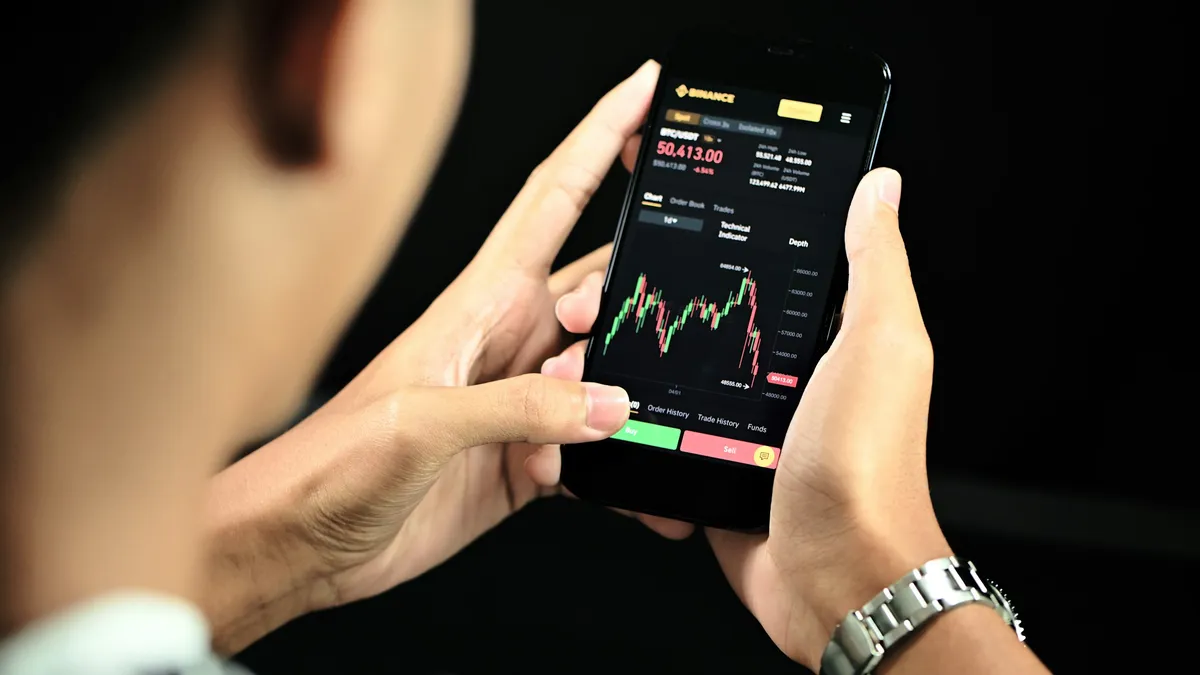
To send crypto from Binance.US to your own wallet, open Portfolio (app) or Wallet (website), choose Withdraw, pick the coin, paste your wallet's address, preview the withdrawal and confirm it, then click Confirm Withdraw in the email Binance.US sends. The email step is the one people miss: the withdrawal doesn't go out until you click it. If you deposited dollars by ACH, that amount, and crypto bought with it, can't be withdrawn for 7 days.
Before you start
- A wallet you control, such as Phantom (Solana) or MetaMask (Ethereum, Base, Arbitrum), or a hardware wallet
- Access to the email on your Binance.US account
- The coin past any ACH hold (the Wallet page shows held amounts under your USD balance)
- Copy addressFrom your wallet's Receive
- WithdrawCoin, address, network
- Confirm by email"Confirm Withdraw"
- Check it arrivedThen send the rest
Can I withdraw yet?
Binance.US says that after an ACH deposit "you will not be able to withdraw the USD equivalent of this deposit (including the equivalent sum in crypto) for 7 days." The rest of your balance isn't held. Its help pages don't give a hold for card purchases, so check the Wallet page before you start.
You also need an account in a supported state. As of November 2026, Binance.US says you can't register if you live in Alaska, Connecticut, Georgia, Maine, New York, North Carolina, North Dakota, Ohio, Oregon, Texas, Vermont or Washington (or several US territories), and Wisconsin accounts are crypto-only, with no USD services.
Step 1: Copy your wallet's receive address
In your wallet, tap Receive, pick the network, and copy the address. Ethereum, Base and Arbitrum addresses all start with 0x, so the network you pick in Binance.US has to match what your wallet showed.
Step 2: Withdraw on Binance.US
- Start the withdrawalIn the app, tap Portfolio, then Withdraw, select the coin, read the warning and tap Withdraw [coin]. On the website, click Wallet in the top menu, then Withdraw at the top right, and select the coin.
- Paste the address and check the networkPaste the address or scan its QR code. Binance.US asks you to check that the address, network and memo (if the coin needs one) are all correct.
- Enter a small amount and previewTap Preview Withdrawal. That screen shows the Binance.US withdrawal fee, which is charged on top of the network fee. ACH deposits and withdrawals of dollars have no fee; this one applies to crypto sends.
- Confirm, then confirm by emailTap Withdraw [coin] in the app (Confirm Withdrawal on the website). Binance.US then emails "Withdraw Request Confirmation." Click Confirm Withdraw in it. Track the status under Wallet, then Deposits & Withdrawals.
Does my coin need a memo?
Some coins need a memo as well as an address. Binance.US names XRP, XLM, ATOM, HBAR and KAVA among them, and says that if a required memo is missing or wrong, "the asset may be lost." Other wallets call it a tag, label or note. Sending to your own wallet usually needs no memo (check the wallet's Receive screen); sending to another exchange usually does. If you've already sent without one, see forgot the destination tag or memo.
Should I turn on the address whitelist?
It's optional. On the website (not the app), go to your account's Security page, then Address Management, add the address with its coin, network and a label, switch Whitelist on, then click the star next to each address you want to allow. After that, withdrawals can only go to starred addresses. That's useful protection if your account is ever accessed by someone else, at the cost of one extra setup step.
How Binance.US rules compare
From each exchange's help pages, checked November 10, 2026:
| New address | Hold after an ACH buy | Hold after a card buy | |
|---|---|---|---|
| Binance.US | Every withdrawal confirmed by email; optional whitelist on the website | 7 days | Not stated |
| Kraken | Email approval link (1 hour) unless on a trusted device | 7 days (Plaid) | Up to 72 hours |
| Gemini | Usable at once, or a 7-day wait with Withdrawal Protection | Until the ACH clears (4 to 5 business days) | 24 hours (debit) |
When we checked on November 19, 2026, Binance.US listed 162 coins, and 9 of them weren't on any of the other five US exchanges we track. Coins in that group can only leave Binance.US for a wallet. The listing changes page shows what each exchange added or dropped.
Common mistakes
- Not clicking the email. The withdrawal waits until you do.
- Following steps from binance.com. Binance and Binance.US are separate companies with different apps; see Binance vs Binance.US.
- Sending ETH on one network to an exchange that only accepts another. Read sent crypto to the wrong network.
Binance.US says that once assets leave your account, "it is impossible to cancel or reverse the transaction."
What to do next
Look up Bitcoin or any coin you moved to see which US exchanges list it today. Moving coins off Kraken or Gemini too? See Kraken and Gemini.
Sources
Facts checked November 10, 2026 against these pages. Official means the exchange, wallet, network or government agency itself. How we write guides.
- Official Binance.US Support: How to withdraw crypto from your Binance.US account (June 3, 2026)
- Official Binance.US Support: How to save and whitelist crypto addresses (June 3, 2026)
- Official Binance.US Support: Memos on Binance.US (June 4, 2026)
- Official Binance.US Support: Why is a portion of my balance unable to be withdrawn or unavailable? (June 3, 2026)
- Official Binance.US Support: Understanding network fees vs exchange fees (November 4, 2025)
- Official Binance.US Support: List of supported and unsupported states and regions
- Official Kraken Support: Why is there a withdrawal hold on my account? (updated October 20, 2026)
- Official Gemini Support: Why can't I withdraw my crypto?
Related guides
 How to Send Crypto From Gemini to a WalletWithdraw crypto from Gemini to your own wallet: add the address, check the network Gemini uses for your coin, and know the ACH and 24-hour debit card holds.
 How to Send Crypto From Kraken to a WalletWithdraw crypto from Kraken to Phantom, MetaMask or a hardware wallet: add and approve the address, match the network, and know the 72-hour and 7-day holds first.
 Forgot the Destination Tag or Memo? What Each US Exchange DoesSent XRP or another tagged coin to an exchange without the destination tag or memo? What Coinbase, Kraken, Binance.US and Gemini say, the fees, and what to send support.
 How to Send Crypto From Robinhood to a WalletMove crypto out of Robinhood to your own wallet: turn on transfers, find your daily limit in the app, match the network, and know why some coins can't leave yet.